Databases and Data Modeling

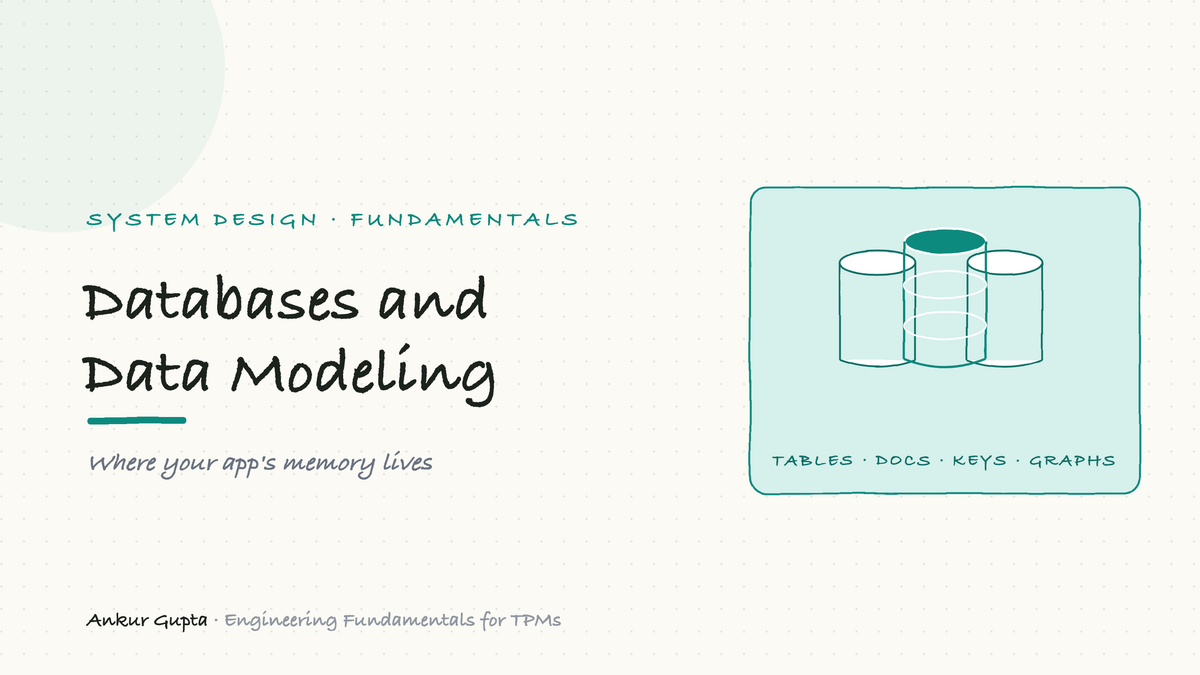
Where your app's memory lives, and why this one choice shapes everything for years
Every app remembers things: your account, your messages, your orders, your photos. All of that memory lives in a database. It is the most important box in almost every system diagram, and the choice of which kind to use is one of the most consequential, and hardest to undo, decisions a team makes. Pick well and the system hums for years. Pick badly and you are staring down a painful migration that nobody has time for.
You will never write the queries. But you sit in the rooms where these choices get made and where slow, flaky, or lost data gets diagnosed. This article gives you the whole map: the original relational databases, the NoSQL family that grew up next to them, how databases find things fast, what "consistency" really means, and how to tell which database fits a given problem.
The original: relational databases
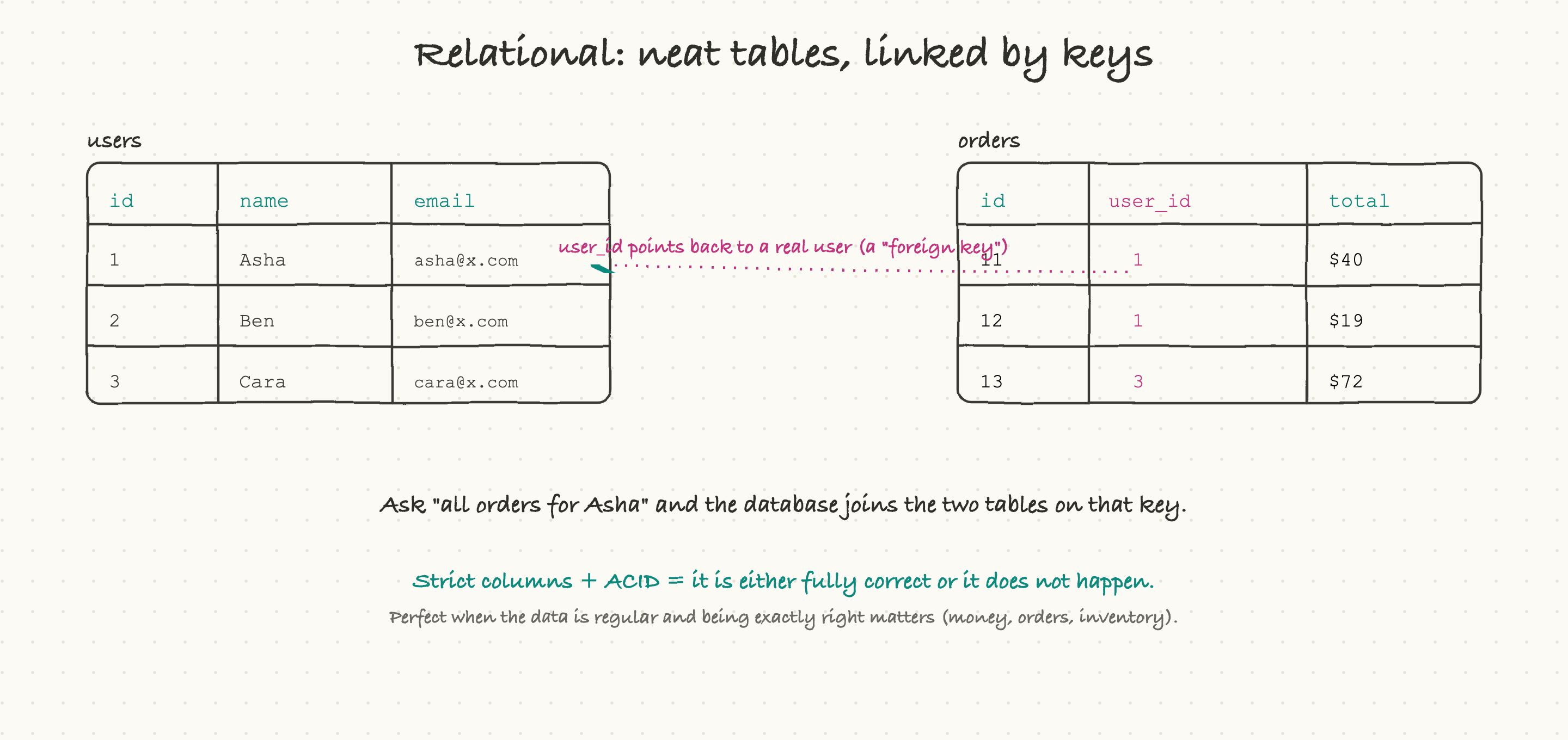
The oldest and still most common kind is the relational database, also called SQL (after the language used to query it). The idea is exactly what it sounds like: data lives in tables, like spreadsheets, with strict columns. One table for users, one for orders, each row a record with the same fields every time.
The "relational" part is the clever bit. Tables link to each other through keys. An orders table does not repeat the customer's whole name and email on every row; it just stores a user_id that points back to the matching row in the users table. That pointer is called a foreign key. When you want "all orders for Asha," the database follows that key to stitch the two tables together, an operation called a join. This keeps each fact in exactly one place, which keeps the data clean.
Relational databases are famous for ACID, which is four guarantees that boil down to a single promise: a change either happens completely or not at all, and you never end up half-done. Move $100 between two accounts and you will never lose the money in the gap between the two steps, either both sides update or neither does. That promise is precisely why banks, orders, inventory, anything where being exactly right is non-negotiable, run on relational databases. The names you will hear are PostgreSQL and MySQL.
The cost of all that structure is rigidity. Every row must fit the defined columns, and changing the shape of the data later (a "schema migration") takes real care. For regular, predictable data, that rigidity is a feature. For messy, fast-changing data, it can chafe, which is where the other family comes in.
Then everything else: the NoSQL family
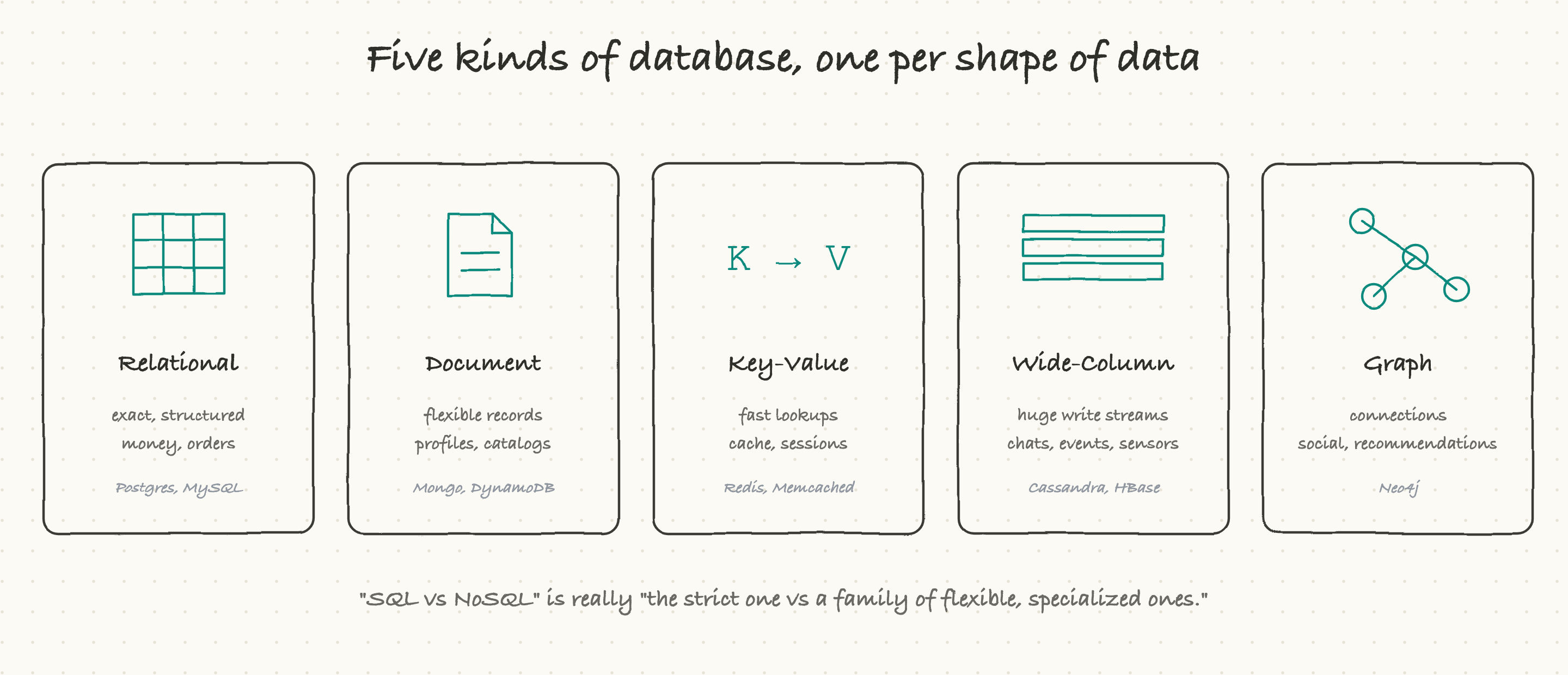
In the 2000s, as a handful of companies hit enormous scale, the strict relational model started to strain, and a whole family of alternatives appeared under the loose banner of NoSQL. The single most useful thing to understand is that NoSQL is not one thing. It is a family of specialized databases, each shaped for a particular kind of data. Saying "we'll use NoSQL" is about as specific as saying "we'll use a vehicle."
There are four members worth knowing.
Document databases store each record as a flexible document, usually in a format called JSON, where different records can have different fields. There is no rigid table to conform to. This is perfect for things like user profiles or a product catalog, where not every item has the same attributes. Names: MongoDB, DynamoDB.
Key-value stores are the simplest possible database: you hand it a key, it hands back a value, blazingly fast. Nothing fancy, just instant lookups. Perfect for caching, user sessions, and anything you need to fetch by a single id at high speed. Names: Redis, Memcached.
Wide-column databases are built to swallow an enormous, never-ending firehose of writes, like every chat message ever sent, every sensor reading, every event in a giant system. They are tuned to write huge volumes fast and spread it across many machines. Names: Cassandra, HBase.
Graph databases store relationships as first-class things, not just records. They are built for questions about connections: "who are the friends of my friends?", "what products are bought together?", "what is connected to what?" A social network or a recommendation engine loves these. Name: Neo4j.
The lesson is not to memorize vendors. It is that data has a shape, and there is usually a database built for that shape. Force relationship-heavy data into flat tables, or rigid financial data into a loose document store, and you create slow, painful systems. Many real products even use several databases at once, the right tool for each kind of data, which engineers call polyglot persistence.
Schema: the rules about your data
One idea sits underneath the SQL-versus-NoSQL split: schema, which is just the set of rules about what your data looks like.
Relational databases are strict up front (schema-on-write): you define the columns and their types before you store anything, and the database rejects anything that does not fit. That catches mistakes early and keeps the data trustworthy. The price is that changing the shape later means a careful migration.
Many NoSQL databases are loose (schema-flexible): you can store records of different shapes and sort it out when you read them. That is wonderfully fast to move with early on, when you are not sure what the data even is yet. The price is that the discipline moves into your code, and "flexible" can quietly become "inconsistent" if nobody is watching.
Neither is right or wrong. Strict schemas suit data you must trust; flexible schemas suit data that is still finding its shape.
Finding one row in a billion: indexing
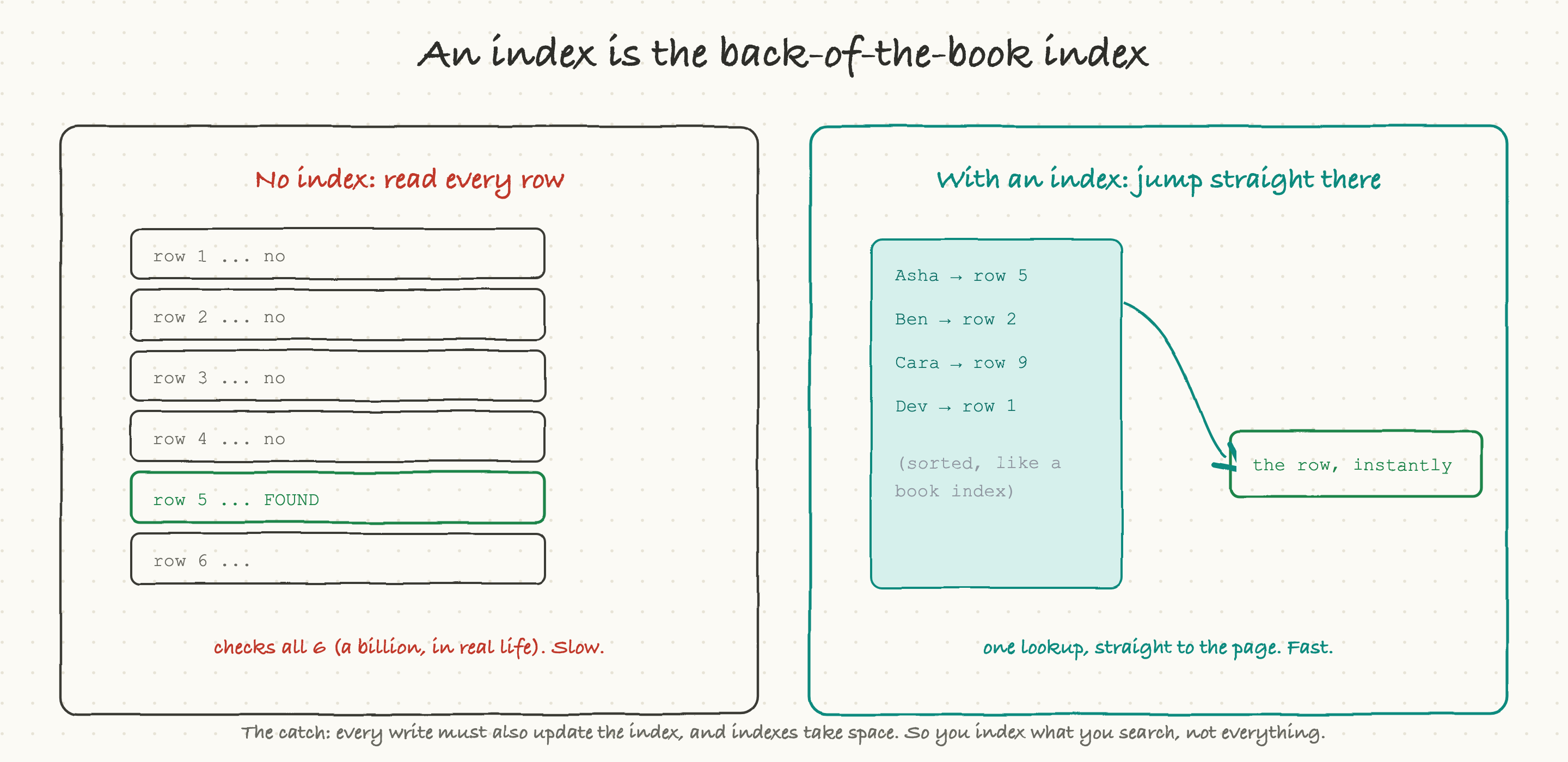
Here is a problem that decides whether an app feels instant or sluggish. Suppose a table has a billion rows and you ask for one specific user by email. The naive way is to read every single row and check, a "full table scan," which at a billion rows is hopelessly slow.
The fix is an index, and it works exactly like the index at the back of a book. Instead of reading every page to find "caching," you flip to the alphabetical index, which points you straight to page 212. A database index is a separate, sorted structure that maps a value (like an email) directly to the location of the matching row. With it, the database jumps straight to the answer instead of scanning everything.
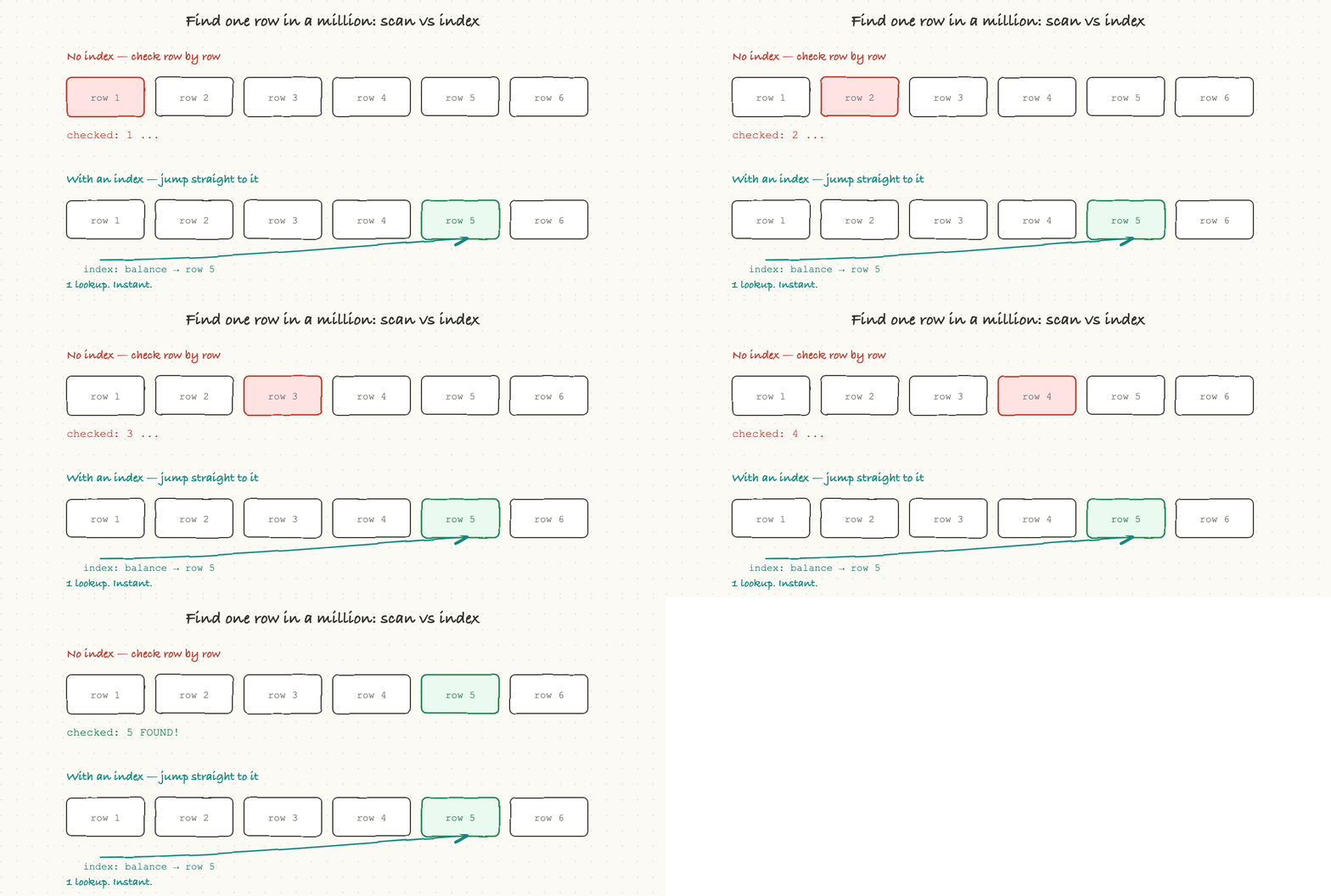
This one idea is behind a huge share of all performance problems. The single most common cause of "this query got slow in production" is a missing index: it was fast in testing with a thousand rows, and it falls off a cliff at ten million, because without an index the work grows with the size of the table.
There is a catch, which is why you do not just index everything. Every index has to be kept up to date, so every write to the table also has to update its indexes, and indexes take up space. So the rule is: index the things you actually search by, not everything. When an engineer says "we need to add an index on that column," they are trading a little slower writes and some storage for dramatically faster reads, and it is usually a great trade.
When do all the copies agree? Consistency
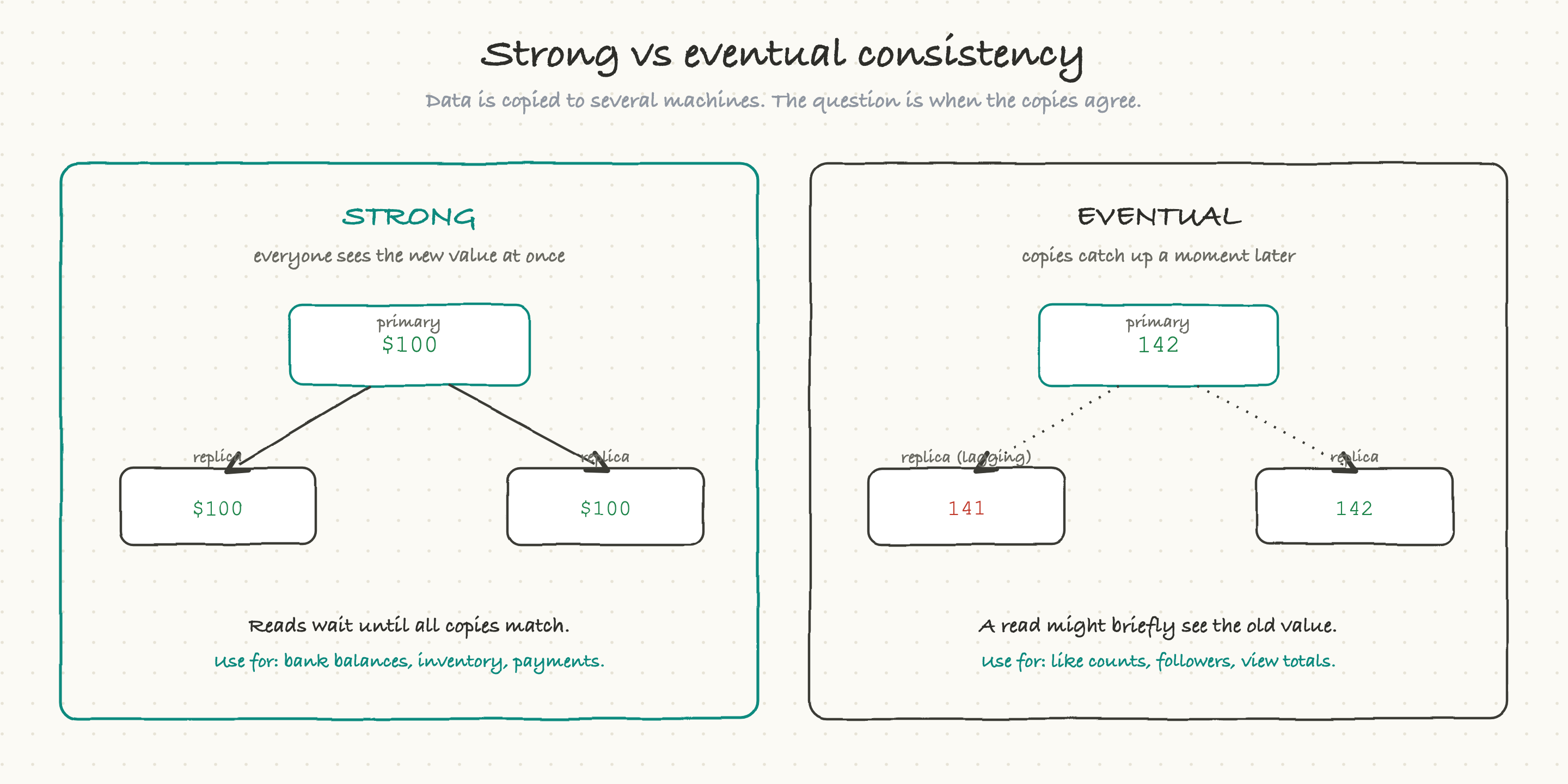
At any real scale, your data is not on one machine; it is copied across several, for speed and safety. That raises a deceptively deep question: when you change something, how quickly do all the copies agree? The answer is one of the most important tradeoffs in all of system design.
Strong consistency means everyone sees the new value immediately. The moment a change is written, every read anywhere returns the new value. This is what you absolutely need for a bank balance or an inventory count, you can never show two people different numbers for the same account. The cost is speed: reads and writes sometimes have to wait for all the copies to agree.
Eventual consistency means the copies catch up a moment later. When you write a change, it lands on the main copy immediately, and the other copies update a beat behind, often within milliseconds. In the meantime, a read that happens to hit a lagging copy might briefly see the old value.
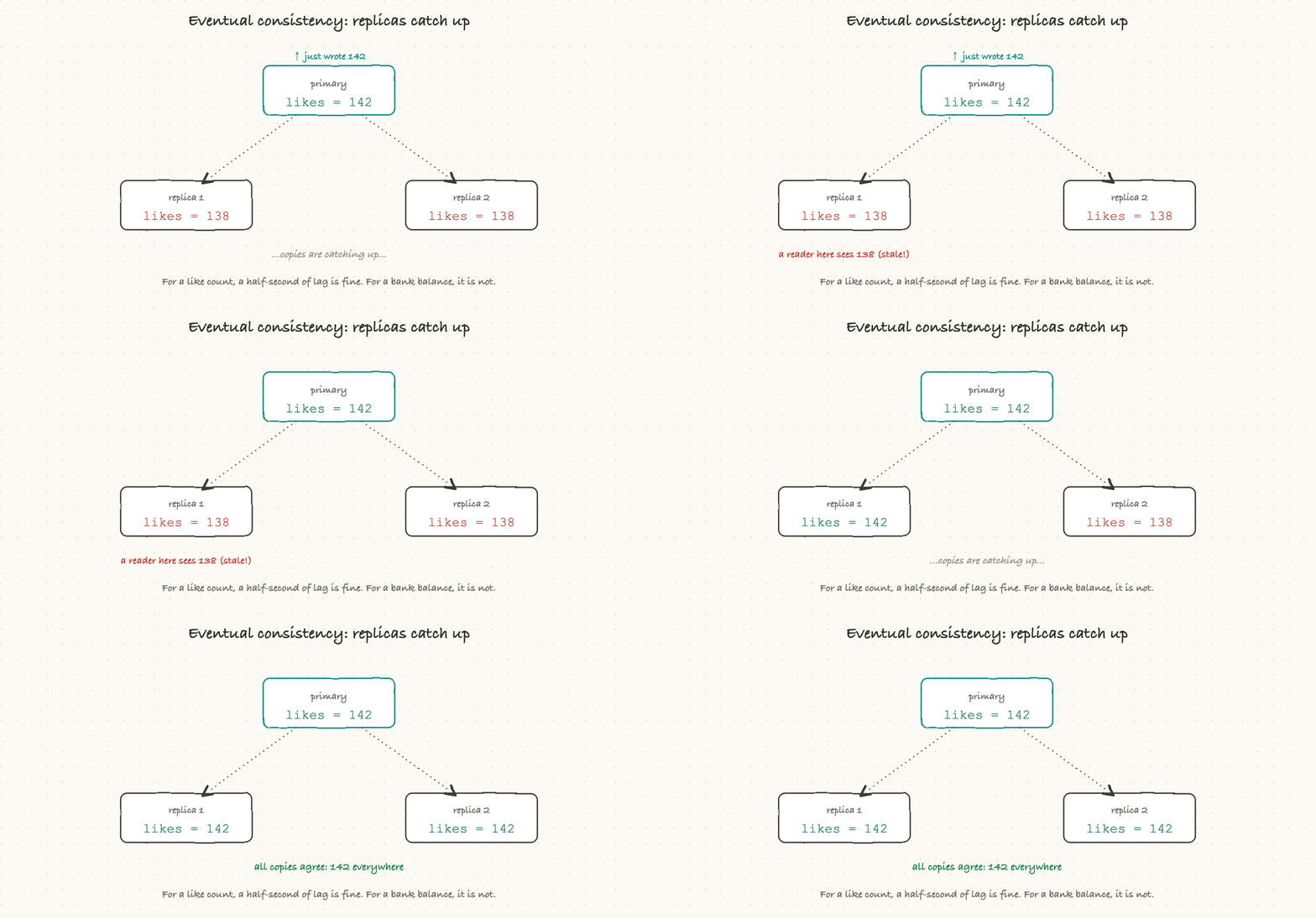
That sounds alarming until you realize how often it is completely fine. For a like count, a follower number, or a view total, who cares if it shows 141 for half a second before settling on 142? Nobody. In exchange for that tiny, harmless delay, you get enormous scale and speed. The art is matching the choice to the data: strong consistency where being wrong for even an instant is unacceptable (money, inventory, seats on a flight), eventual consistency where a brief lag is invisible (social counts, feeds, analytics).
This is also the heart of a famous idea called the CAP theorem, which, stripped of jargon, says: when your machines are spread out and the network between them hiccups, you have to choose between every copy showing the same data (consistency) and the system staying available to answer at all (availability). You cannot have both in that instant. Different databases make different default choices here, and knowing which one a system made tells you what it values.
Transactions and locking
A transaction is how a database groups several steps into one all-or-nothing unit. "Subtract from account A, add to account B" is two steps that must both happen or both not happen; wrap them in a transaction and the database guarantees exactly that. This is ACID in action, and it is why relational databases are trusted with money.
To pull this off when many users act at once, databases use locking. Pessimistic locking grabs a lock before touching data, so nobody else can interfere, safe but slower. Optimistic locking lets everyone proceed and only checks for a clash at the end, faster, but it has to retry when two people really did collide. And occasionally two transactions each wait for what the other holds, and neither can move, a deadlock, which the database detects and breaks by canceling one. You do not need the mechanics; you need to recognize that "we're seeing deadlocks" or "we need this in a transaction" are real correctness conversations, not nitpicks.
When the data outgrows one machine
Eventually a single database server is not enough, and there are two moves, both covered in depth in the scaling article. Sharding splits the data across several machines (users A through M here, N through Z there), so each holds a slice. Replication keeps copies of the data on several machines, for reading speed and for survival if one dies. Most large systems do both. For now, just know that "we need to shard" is a sign the data has grown past one box, and it is a significant project, not a config flag.
Picking the right database
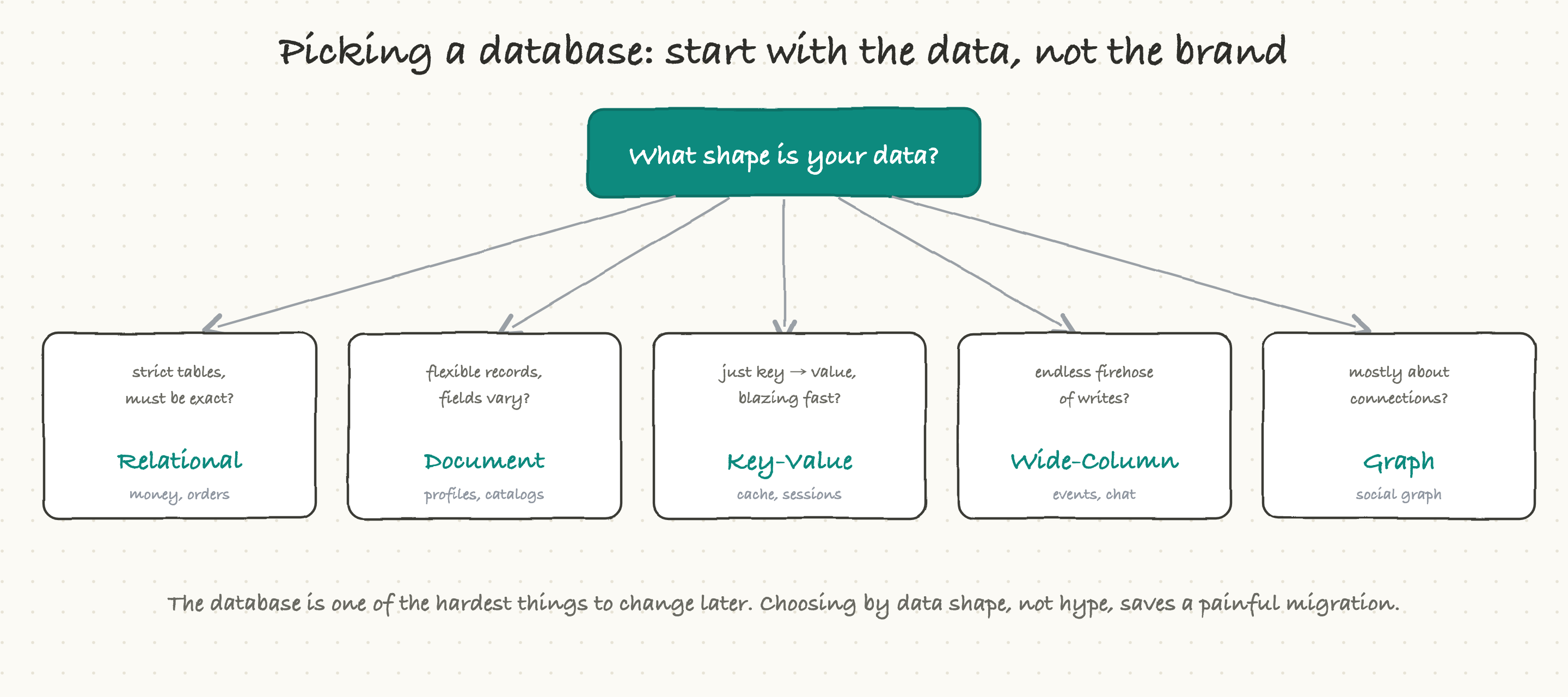
Put it all together and the decision becomes refreshingly concrete. Start not with what is trendy but with the shape of the data and how it will be used:
Strict, regular data where being exactly right matters, money, orders, inventory? A relational database.
Flexible records whose fields vary from item to item, profiles, catalogs? A document database.
Just need to fetch a value by a key, blazingly fast, for caching or sessions? A key-value store.
An endless firehose of writes, chat messages, events, sensor data? A wide-column database.
Data that is mostly about the connections between things, social graphs, recommendations? A graph database.
The reason this matters so much is the one fact to carry out of this whole article: the database is among the hardest things to change later. It shapes performance, cost, and how the system can grow, often for years. So the questions to ask early are simple, what shape is this data, how will we read it, and do we need exact correctness or is "close enough, fast" fine? Asked at the start, they prevent a brutal migration at the end.
What actually goes wrong
A few failure patterns show up again and again:
The wrong shape. Relationship-heavy data crammed into flat tables (or the reverse) makes every important query slow and every change awkward. The database is fighting the data.
The missing index. A query is instant in development and crawls in production, because the test data was tiny and nobody indexed the column real users search by. The most common database performance bug there is.
The unplanned migration. The early choice no longer fits, and now moving the data to a different database is a multi-quarter project with real risk, because everything depends on it.
The eventual-consistency surprise. A user posts something, then refreshes and does not see it, because their read hit a copy that had not caught up yet. Harmless for likes, confusing for "did my comment save?"
The unbounded query. Someone asks for "all records" with no index and no limit, and a single innocent request tries to read the whole table and drags the database down for everyone.
Notice that most of these are not exotic. They are predictable consequences of the choices in this article, which is exactly why seeing them coming is so valuable.
Why a TPM should care, and what to ask
You will not design the schema. But you can ask the questions that catch the expensive mistakes while they are still cheap:
What shape is this data, and is the database we picked actually built for that shape?
Do we need strong consistency here, or is eventual consistency fine? (This is a real product decision, not just a technical one, and it is worth being explicit about for anything users will notice.)
That slow query, is it missing an index, or is it a deeper design problem?
If we are changing the data model, is this a migration, and if so, what is the plan, the risk, and the rollback?
For money or anything irreversible, are we using transactions so it is all-or-nothing?
Ask those, and you will catch the database decisions that quietly determine whether the product is fast, correct, and affordable, long before they harden into something nobody can change.