Networking and Traffic Management

How a click crosses the world and comes back, and why "the app is slow" is usually a traffic problem
When you tap a link, it feels instant. Behind that tap, your request finds an address, opens a connection, crosses the planet, gets handled, and comes all the way back, often in less time than a blink. Most of the time you never think about it. But when something is slow or flaky, it is very often not the code that is broken, it is something in this journey. This article walks the whole path so you can see where time and reliability actually go.
We will not drown in jargon. We will follow a single request from your browser to a server and back, and pick up the handful of pieces, DNS, TCP, HTTPS, load balancers, proxies, and CDNs, that every system uses.
What happens when you open a web page
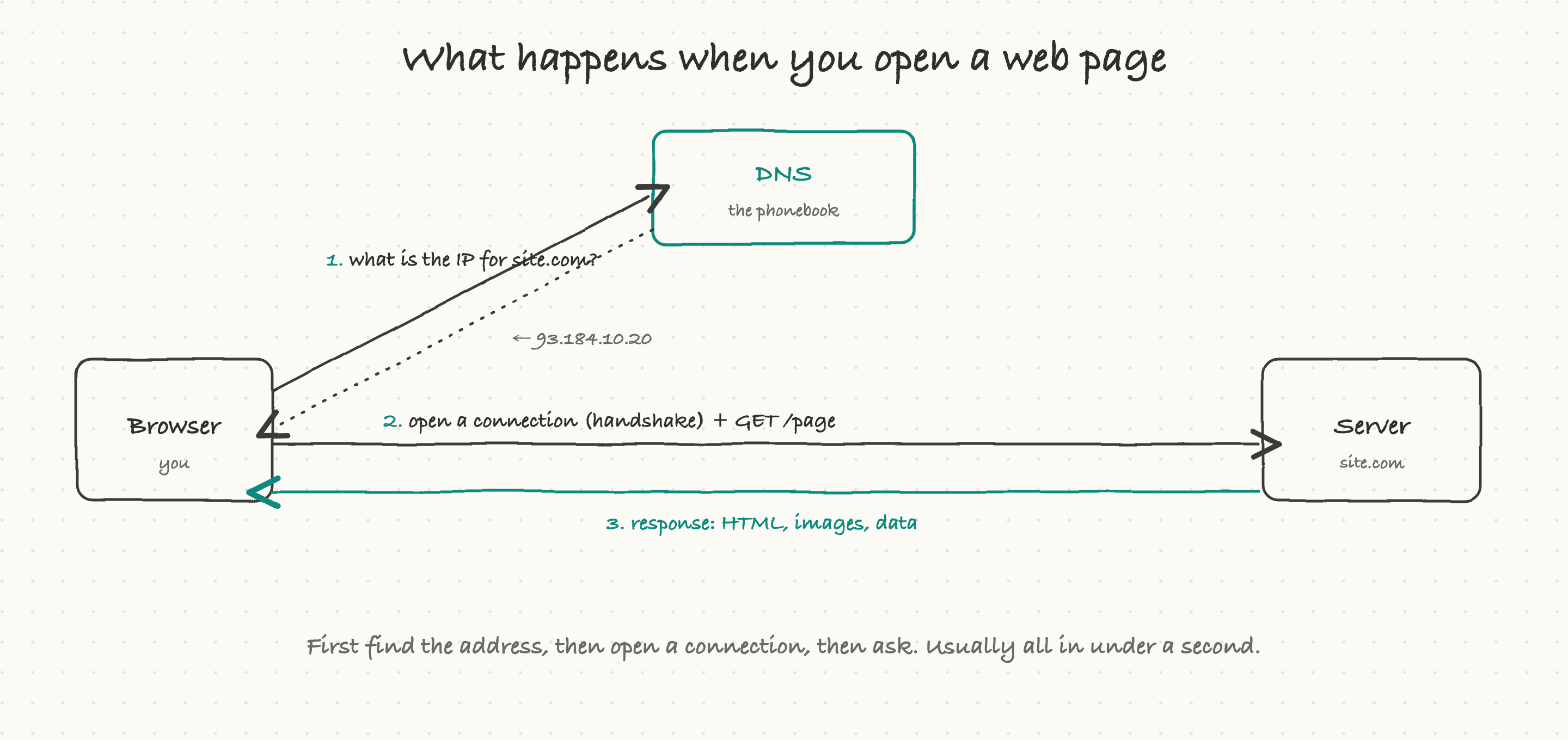
Type a web address and hit enter, and three things happen in order before you see anything.
First, your browser has to turn the name into a number. Computers do not find each other by names like site.com; they use numeric addresses called IP addresses. So the browser asks a system called DNS, "what is the address for site.com?" and gets back something like 93.184.10.20.
Second, the browser opens a connection to that address. This is a quick back-and-forth called a handshake, where the two machines agree to talk (and, for secure sites, agree on encryption). Only after the handshake can real data flow.
Third, the browser sends the actual request, "give me the home page," and the server sends back the response: the HTML, the images, the data. Your browser assembles all of it into the page you see.
Find the address, open the connection, make the request. That is the skeleton of every single thing that happens on the internet. Everything else is detail on top.
DNS: the phonebook of the internet
DNS (Domain Name System) is the internet's phonebook. Its only job is to translate names people can remember into the numeric addresses machines actually use. You ask for site.com, it answers with an IP address.
Two things about DNS matter in practice.
It is cached, heavily. Looking up a name every single time would be slow, so the answer gets remembered for a while at many levels: your browser, your operating system, your internet provider. Each cached answer has a time-to-live (TTL), basically an expiry, that says how long it is safe to reuse. This is wonderful for speed and occasionally maddening: when you move a site to a new server and change its DNS, old cached answers can keep sending people to the old place until the TTL runs out. This is why DNS changes "take time to propagate." It is not magic; it is just caches expiring.
It can be location-aware. A big site does not have one server in one city; it has servers around the world. A smart DNS can hand different users different addresses based on where they are, so a user in Tokyo gets pointed to a server in Asia and a user in Berlin to one in Europe. This is one of the quiet tricks that makes global services feel fast.
When a site is completely unreachable for everyone, "is it DNS?" is one of the first questions engineers ask, because a DNS misconfiguration takes everything down at once, no matter how healthy the servers are.
TCP vs UDP: registered mail or a postcard
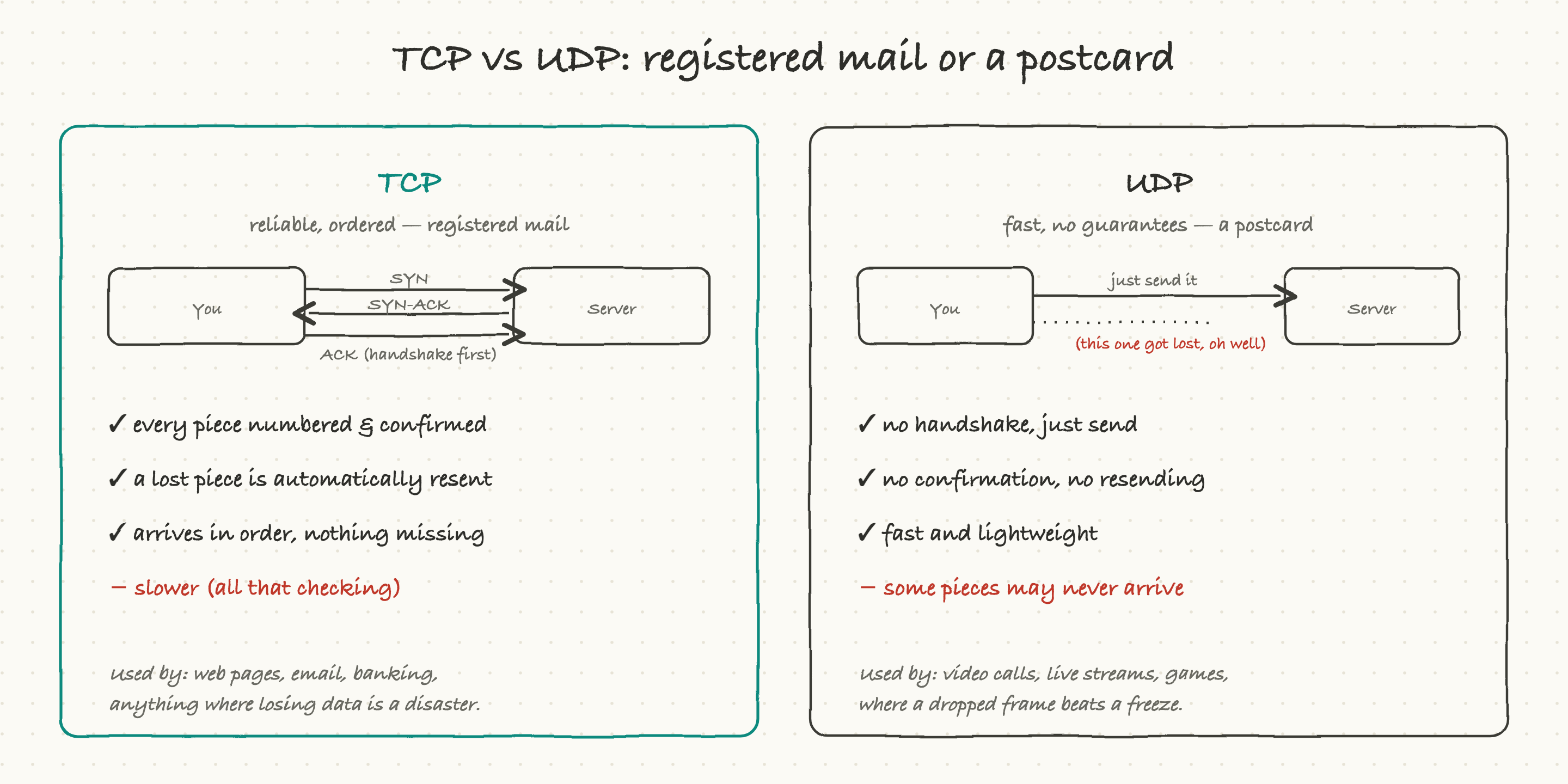
Once you have an address, the two machines need to actually move data, and there are two styles for doing it. The difference is one of the most useful things to understand.
TCP is registered mail. Before sending anything, the two sides do a little handshake to establish the connection. Then every chunk of data is numbered, the receiver confirms what it got, and anything lost in transit is automatically resent. The result arrives complete and in order. The cost is speed: all that confirming and resending takes time. Web pages, email, file downloads, banking, anything where a missing piece would corrupt the result, run on TCP.
UDP is a postcard. There is no handshake and no guarantee. You just send each piece and hope it arrives. Nothing is confirmed, nothing is resent. That sounds worse, and for a web page it would be, but it is exactly right for live audio and video. In a video call, if one frame goes missing, you do not want everything to freeze while it gets resent, that stale frame is useless by the time it would arrive. You would rather skip it and stay live. So video calls, live streams, and games lean on UDP, where speed matters more than perfection.
The whole choice comes down to one question: is it worse to lose a little data, or to wait? TCP never loses but can wait. UDP never waits but can lose.
The lock in the address bar: HTTPS and TLS
You have noticed the little lock and the "https" on websites. The S stands for secure, and what it means is that the connection is encrypted: scrambled so that anyone snooping in between, on the coffee-shop wifi, at the internet provider, sees only gibberish instead of your password or card number.
This protection is set up during the handshake. On top of the basic connection, the two sides do a short extra negotiation called TLS, where they verify the server is really who it claims (using a certificate, a kind of ID card issued by a trusted authority) and agree on the secret keys to scramble everything. Once that is done, all the data between you is private.
Two practical notes. First, this adds a little time, an extra round trip or two at the start, which is part of why the very first request to a new site can feel a touch slower. Second, certificates expire. When a site's certificate lapses and nobody renewed it, browsers throw a big scary "your connection is not secure" warning and users bail. An expired certificate is one of the most common, most embarrassing, and most preventable outages there is. A calendar reminder, or better, auto-renewal, prevents it.
Why distance makes things slow: latency vs bandwidth
Here is the single most misunderstood pair of words in all of networking, and getting them straight will make you sharper than most people in the room.
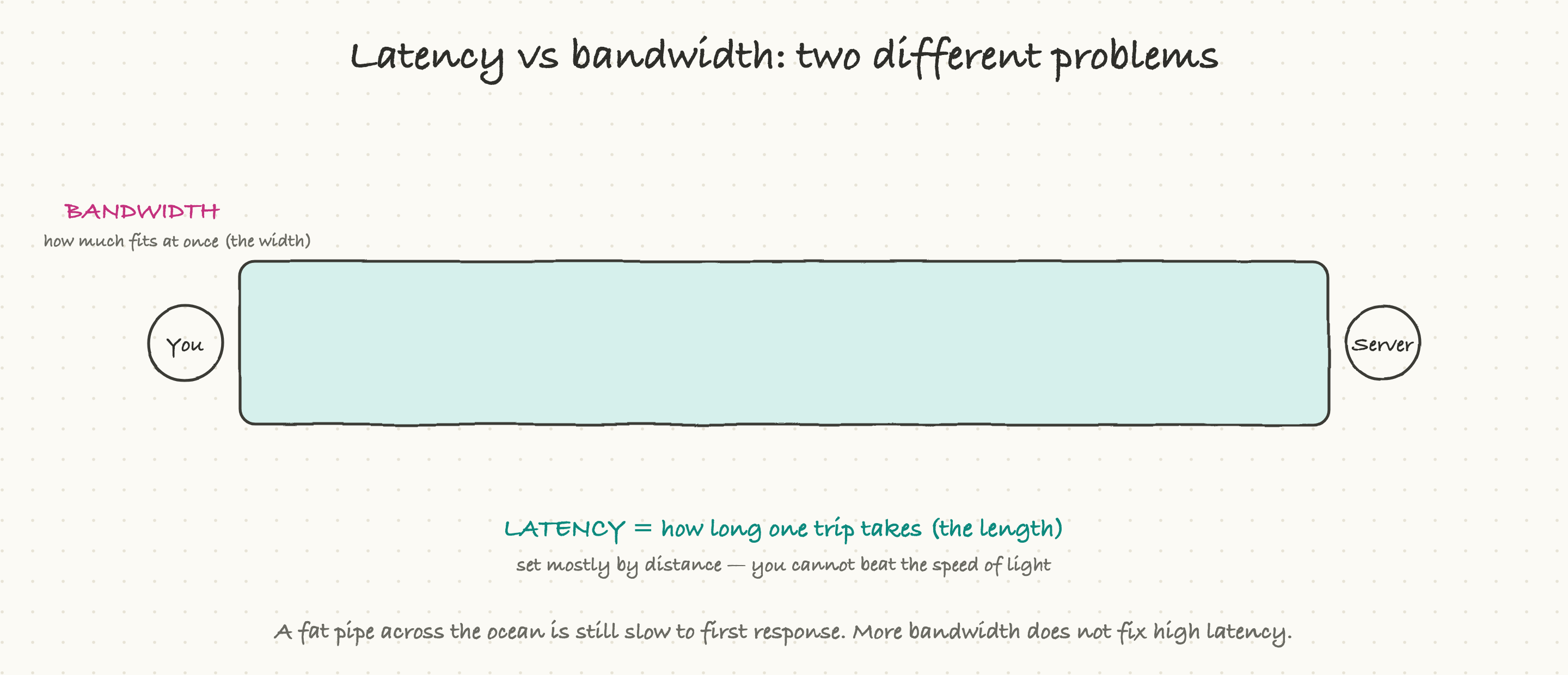
Latency is how long one trip takes. It is mostly set by distance, because nothing travels faster than light, and a signal crossing an ocean and back simply takes time, on the order of a tenth of a second between continents. You cannot buy your way out of it; physics sets the floor.
Bandwidth is how much data fits through at once. It is the width of the pipe. More bandwidth means you can move bigger files per second.
People constantly confuse the two, usually by assuming "more bandwidth equals faster." It does not, for the thing users feel most. Imagine a very wide pipe stretched across the ocean: it can carry enormous volume, but the first drop still takes a long time to come out the far end, because the pipe is long. A user clicking a button cares about that first drop, the latency, not the width.
This is why two fixes dominate web performance. One, make fewer round trips, because each one pays the latency tax. Two, move the content closer to the user so each trip is shorter. That second one is exactly what a CDN does, which we will get to. For now, the takeaway: when something feels slow to respond, suspect latency and round trips, not bandwidth.
Spreading the load: load balancers
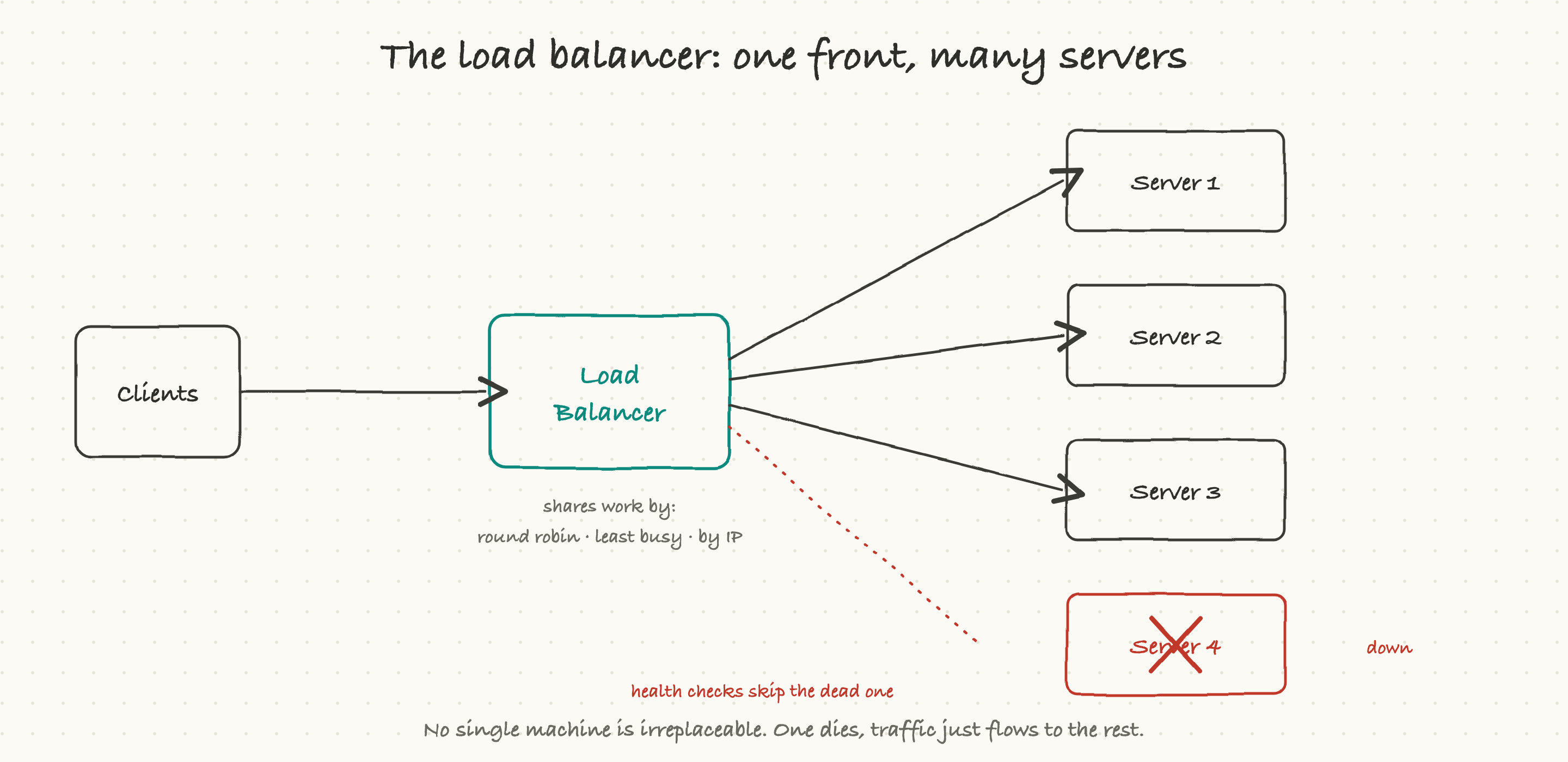
One server can only handle so many requests before it falls over. So real systems run many identical servers and put a load balancer in front of them. Every incoming request hits the load balancer first, and it decides which server should handle it.
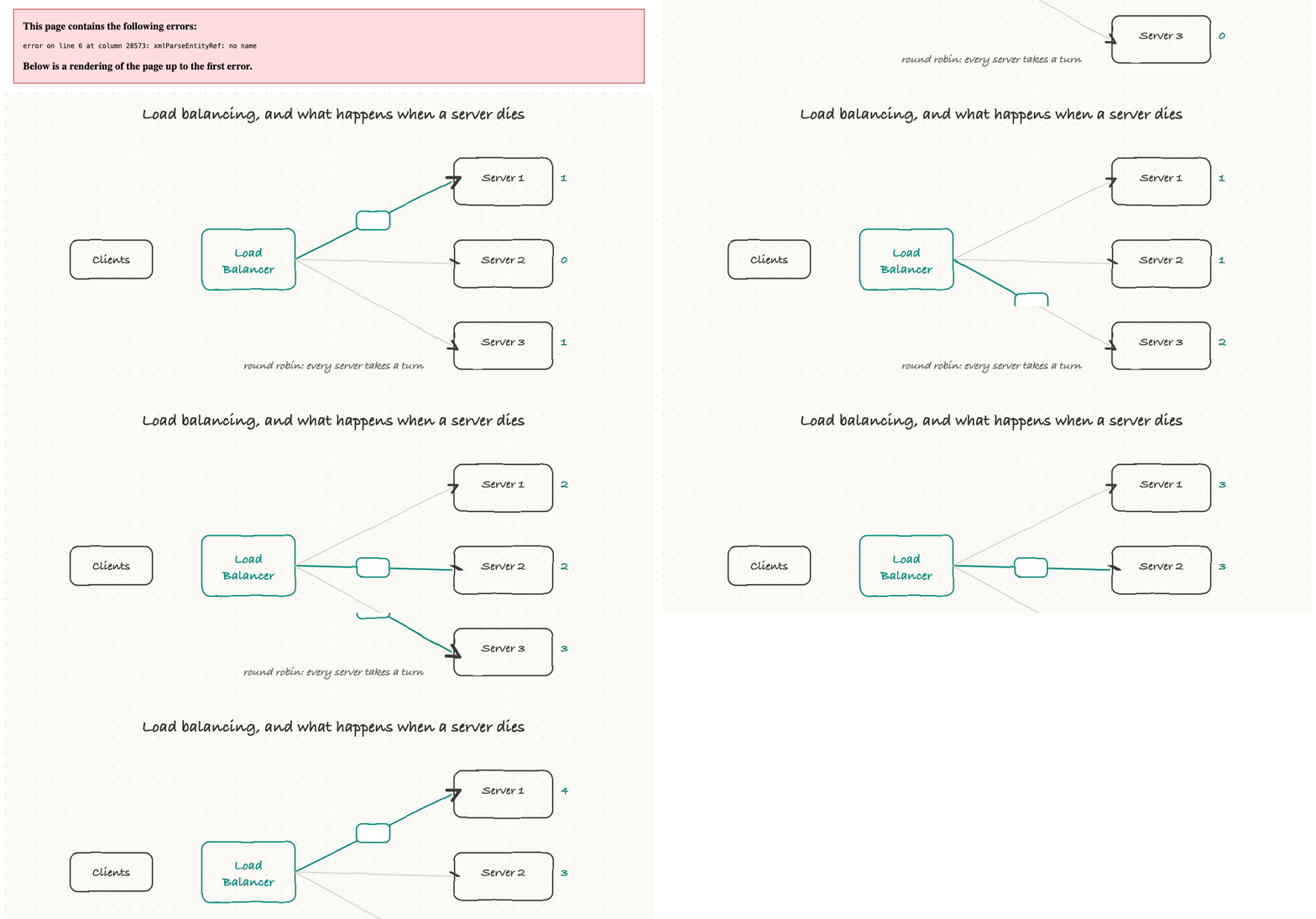
It spreads the work using simple rules. Round robin just takes turns, one request each, around the pool. Least connections sends the next request to whichever server is currently least busy. Some setups route by a feature of the request, like a hash of the user's address, so the same user tends to land on the same server.
The quietly heroic part is health checks. The load balancer constantly pings its servers to see which are alive. The moment one stops responding, the balancer simply stops sending traffic to it, and users never notice; their requests just flow to the healthy servers.
That is the real magic of this setup: no single machine is irreplaceable. A server can crash, or be taken down on purpose for an update, and the system keeps serving because the load balancer routes around it. This is the foundation of how big sites stay up. When you hear "we lost a host but there was no customer impact," this is usually why.
One wrinkle worth knowing: sticky sessions. Sometimes a server remembers something about you mid-session, and you need to keep landing on that same one. That stickiness is convenient but it slightly undercuts the "any server can handle anything" ideal, which is why modern designs try to keep servers stateless (holding no per-user memory) so the balancer is free to send you anywhere.
The doorman: proxies
A proxy is just a middleman that sits between two parties and passes traffic along, and there are two flavors worth separating.
A reverse proxy sits in front of your servers and faces the outside world. It is the doorman of the building. It can handle the encryption in one place, hold a small cache of common responses, filter out bad requests, and hide your actual servers from the internet so attackers cannot poke at them directly. A load balancer is often a reverse proxy too; the roles overlap.
A forward proxy sits in front of the users and faces out toward the internet. It is what a company might route its employees' traffic through to apply filtering or monitoring. Same idea, a middleman, but pointed the other direction.
For most product conversations, the reverse proxy is the one that matters: it is the single front door where security, caching, and routing for your whole system can live.
Serving from the edge: CDNs
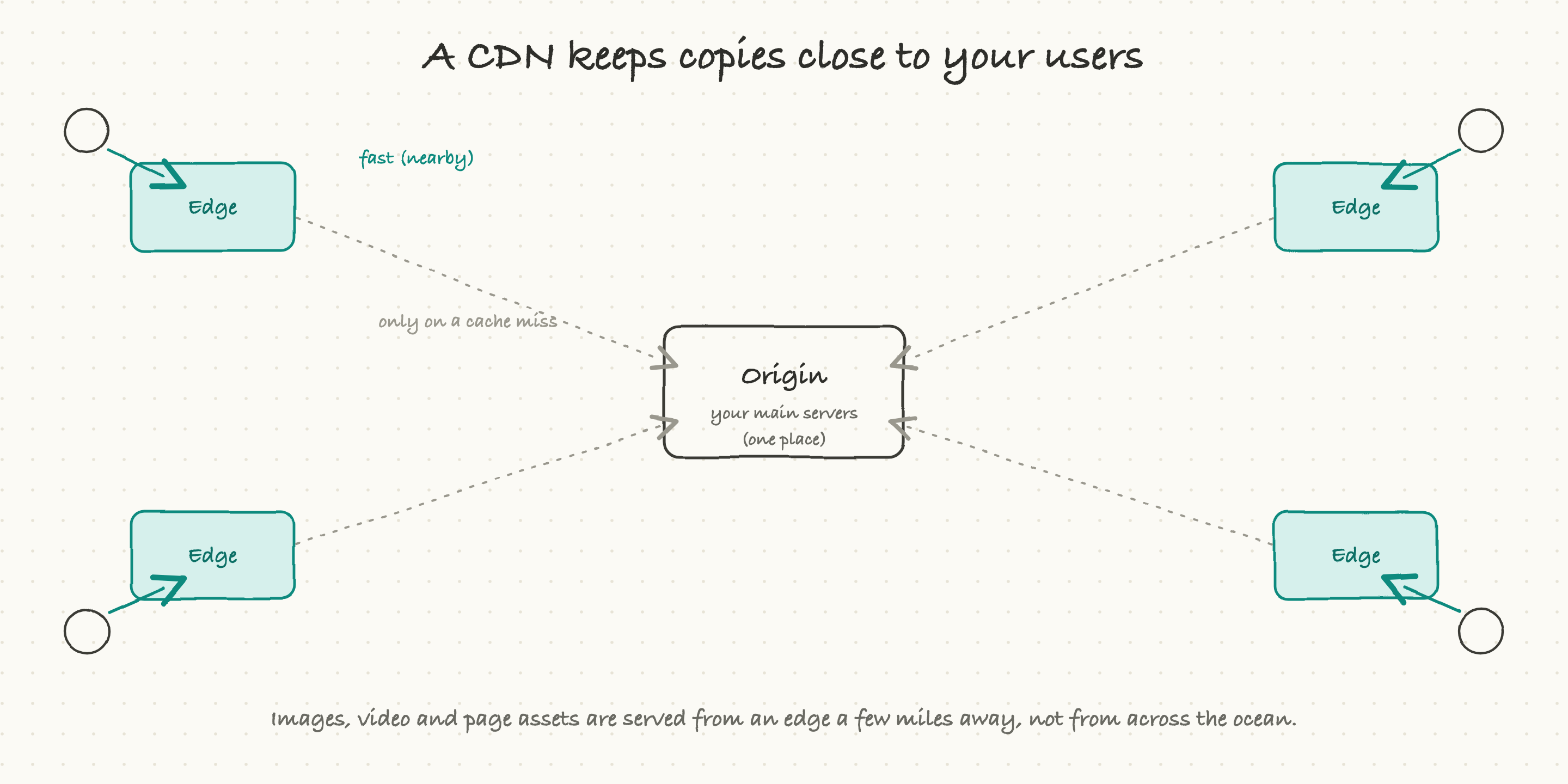
Now we can close the loop on latency. Your main servers, the origin, live in one place, or a few places. But your users are everywhere. For a user on the far side of the world, every request to the origin is a long, slow trip.
A CDN (content delivery network) fixes this by keeping copies of your content at hundreds of locations around the globe, called edges, each one close to some set of users. When that faraway user loads your site, the heavy, unchanging stuff, images, video, scripts, the look of the page, comes from an edge a few miles away instead of from your distant origin. Only the truly fresh or personal data has to make the long trip back to the origin, and often not even then.
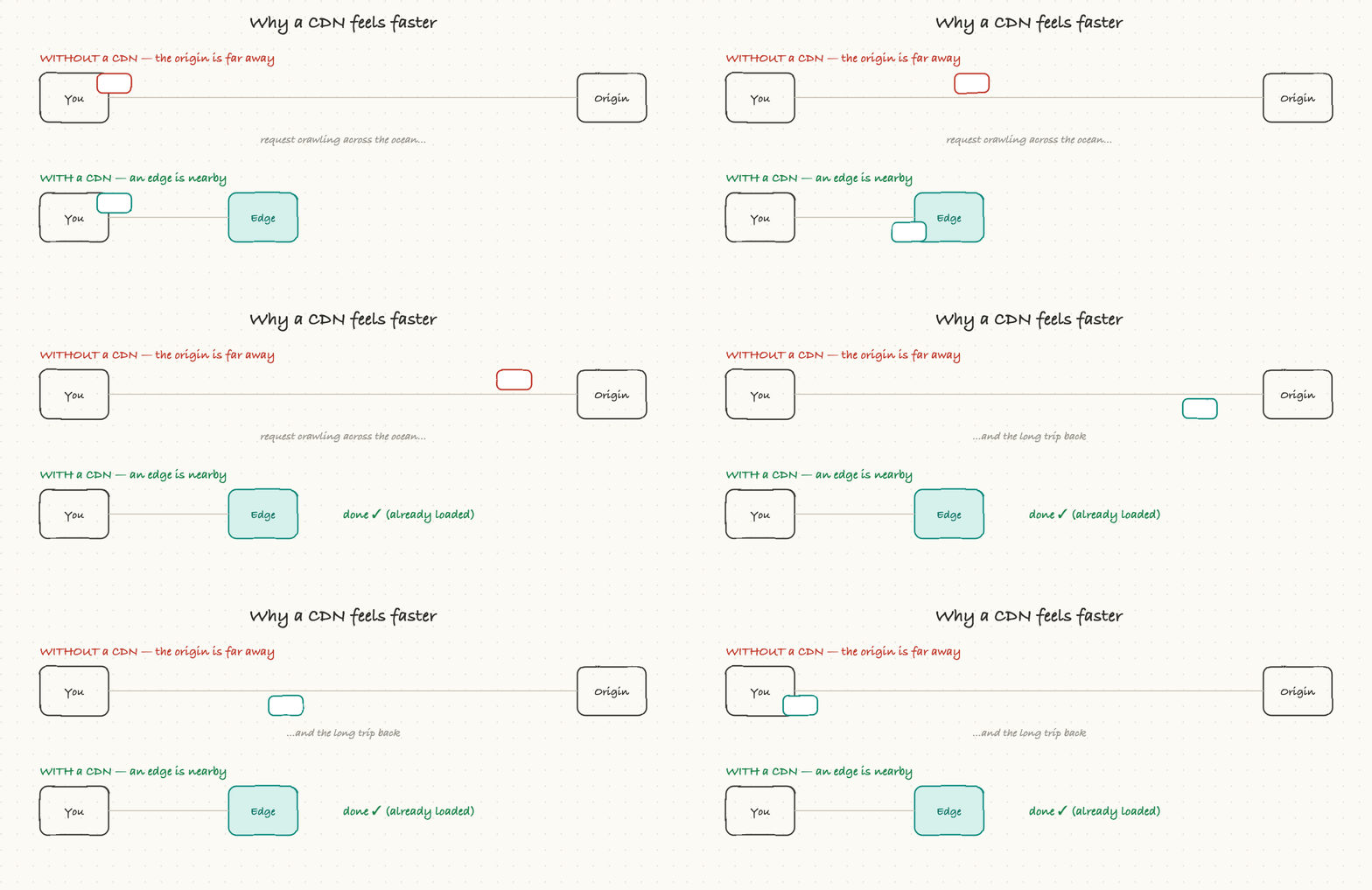
The effect is dramatic. The same page that felt sluggish from across the ocean suddenly feels local, because most of it is being served locally. A CDN is a chain of neighborhood warehouses: instead of shipping every order from one central factory, you pre-stock the popular items close to customers so they arrive almost instantly. For any product with users in more than one region, a CDN is not a luxury; it is the default.
What actually goes wrong
Put the pieces together and you can predict most "the site is slow or down" incidents:
A DNS misconfiguration. Someone changes a DNS record and, because of caching and TTLs, some users reach the new server and some still hit the old one, or nobody reaches it at all. Hard to spot because it is invisible in the application logs.
An expired certificate. The site is perfectly healthy, but browsers refuse to connect and show a security warning. A pure own-goal, entirely preventable.
One overloaded server. The load balancer is sending too much to one machine (bad configuration, or a sticky session pinning heavy users), and that one runs hot while the others sit idle. The fix is in the balancing, not the code.
No nearby edge. A whole region of users is far from any CDN edge or server, so they all experience high latency. The app is "slow" only in that geography.
The thundering herd. A cache or an edge expires, and suddenly every user's request stampedes back to the origin at the same instant, overwhelming it. The cure is staggering expirations and shielding the origin.
Notice the pattern: almost none of these are bugs in the product code. They live in the network path, which is exactly why a TPM who can see that path is so useful.
Why a TPM should care, and what to ask
You will not configure DNS or tune a load balancer. But you sit in the rooms where "it's slow" and "it's down" get diagnosed, and knowing the path lets you ask the questions that find the cause fast:
Is this slow everywhere, or only in certain regions? (Regional slowness points to latency, CDN coverage, or server placement.)
Is it slow to respond, or slow to transfer? (Slow to respond is latency and round trips; slow to transfer is bandwidth or payload size.)
When it went down, was it DNS, certificates, or the servers themselves? (These have completely different owners and fixes.)
Do we have a CDN in front of the static content, and is it actually being used?
If a server dies, does the load balancer route around it without anyone noticing, and have we tested that?
Ask those, and you turn a vague "the app feels bad" into a specific, ownable problem. Which, again, is the whole job.